

Account & settings
Profile, password and session security, preferences, workspaces, and billing in one place.
Profile & preferences
Settings lets you edit your display name and shows the email tied to your login. Email is read-only. The Preferences tab lets you follow your system theme or choose light or dark. These choices save per user, so teammates keep their own preferences.
Because preferences belong to your account and not to a brand, switching between brand workspaces never changes your theme or profile. Everyone working in a shared workspace sees it in their own preferred look.
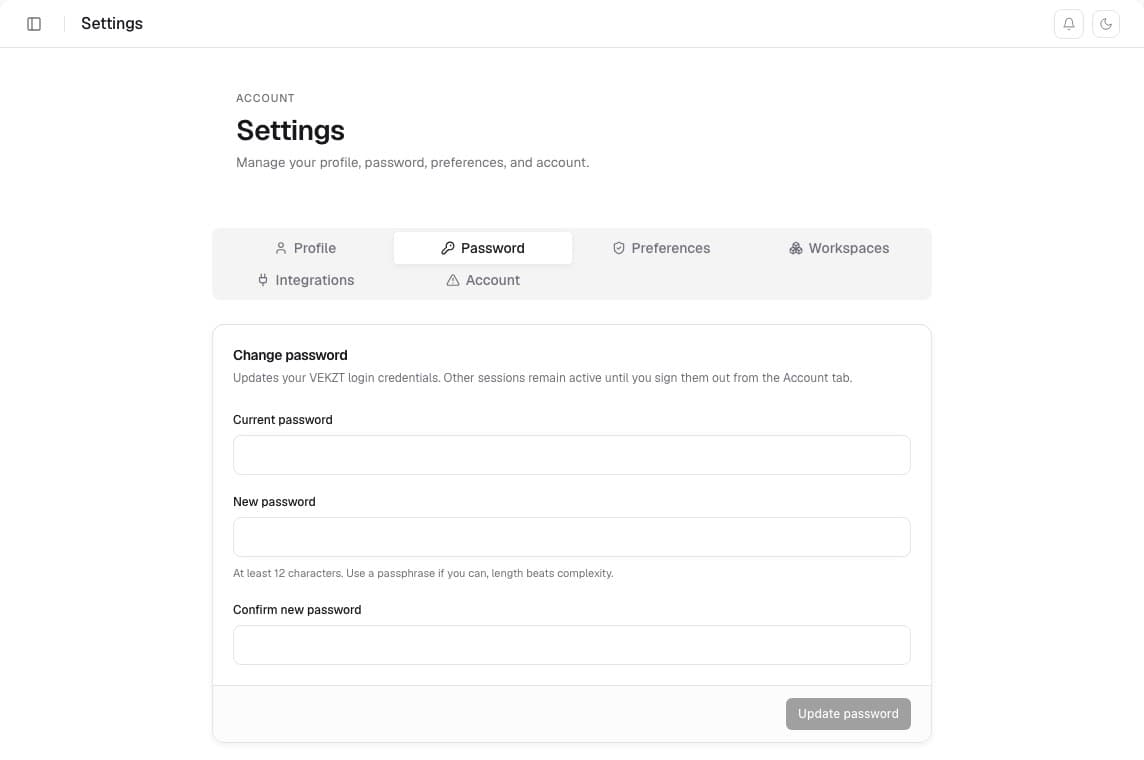
Password & session security
The Password tab changes your login credentials after verifying your current password. New passwords must be at least 12 characters, and VEKZT sends a security notice after a successful change.
If a device is lost or an account was left signed in on a shared computer, open the Account tab and choose Sign out everywhere. This revokes every refresh token. An already issued access token can remain valid for about an hour before that session is signed out.
Billing
Your account's billing page shows the current plan, renewal date, and a live credit meter, plus credit-pack top-ups. Contact support to change plans. The Stripe portal is for payment methods, invoices and receipts, and end-of-period cancellation. Full tier details in Plans & billing.
Paid-plan credits reset monthly whether the subscription is billed monthly or yearly. A yearly billing renewal does not grant a full year of credits up front. Payment methods, cancellation, and past receipts live in the Stripe portal behind Manage Plan.
Credits and top-ups
Free users and active Growth or Scale subscribers can buy a 20-credit top-up pack when checkout is available. Expiry is fixed at fulfillment: without an eligible active paid subscription, the top-up expires 30 days after fulfillment; with an eligible active paid subscription, it expires at the next anchored monthly credit reset. Unused subscription credits also expire at that monthly reset. The same authoritative balance shows everywhere in the app.
Your data
You can request an export or deletion of your account data at any time. See Privacy & security for what VEKZT stores and how requests work.